
After using Grammarly for over one month, I am pleased to let my readers know what I like and dislike about this content-writing tool. It is very easy to install and user-friendly. It makes writing more fun. Everything I write comes smoothly and errors are readily detected and easily amended eliminating grammar mistakes and wrong spellings. It makes my writing clear and engaging. Using Grammarly for a while, I am very happy with it. Now I don't have to worry about grammar mistakes, or the wrong spellings. I simply write more smoothly direct from what the mind thinks and don't have to bother about the typo and grammatical mistakes. It is so nice and I enjoy writing a lot more. it is more fun. One thing very important is that I am sure my article is not an embarrassment. Before publishing a new article, I read it thoroughly and make the necessary corrections with Grammarly.
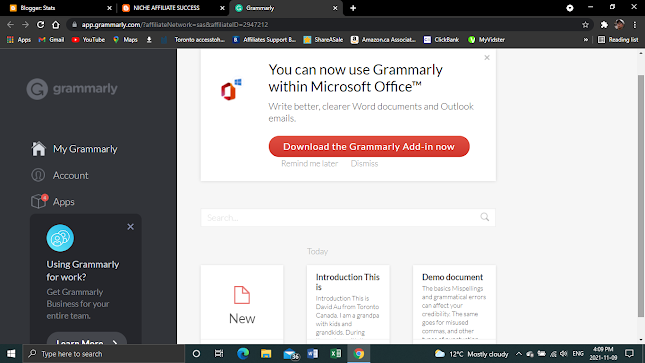
Grammarly Free and Premium are available in the following forms making them ready to use no matter where you are:
- Grammarly browser extensions for Chrome, Firefox, Safari, and Edge
- Microsoft Word and Outlook
- Google Docs
- Grammarly’s desktop apps for Windows and macOS
- Grammarly Keyboard for iOS, on your iPhone, and the Grammarly Keyboard for Android
- Grammarly for iPad
The free version of Grammarly provides basic suggestions in all of the above. The premium plan provides more advanced recommendations.
- What are the features of the free plan?
- No embarrassing spelling mistakes,
- No confusing grammar issues
- No incorrect punctuation.
- No common mistakes.
- Save you time and safeguard your credibility
- Ensure your writing right impression.
- Grammarly’s tone detector can help your writing sound just the way you want,
- The tone detector analyzes your words, phrasing, and punctuation
- Ensure your writing says exactly how you mean it.
- Grammarly includes conciseness suggestions to tighten loose phrasing
Grammarly’s suggestions make it easy to improve your writing, equip you to spot and fix misspelled words, imperfect grammar, and punctuation mistakes.
Grammarly Free vs Premium
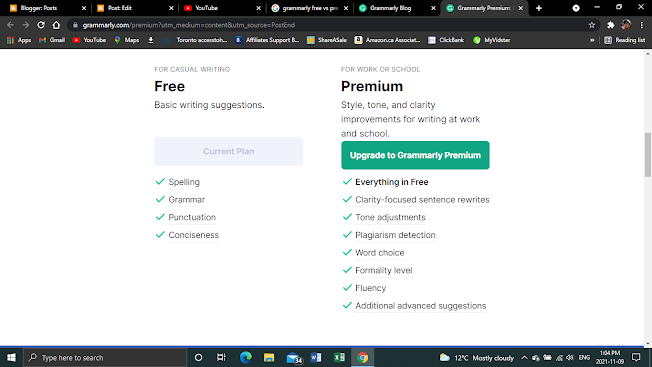
What extra features does Premium offer?
- Grammarly Premium makes your writing from good to great. It can help make writing extra clear to your reader by restructuring lengthy sentences to make them more understandable.
- Premium's tone adjustment suggestions appear as purple underlines helping you find a more appropriate option in place of something that might seem rude.
- Delivery suggestions also recommend inclusive language in spots where it’s appropriate to help you hit the mark when it comes to formality.
- It can even boost your confidence, help your writing seem more confident by striking squishy, hedging phrases like “I think.”
- Grammarly Premium users can look for green underlines, which are engagement suggestions that employ a lively variety of sentence structures to better hold the reader’s attention. Engagement suggestions also include ways to replace dull vocabulary with more compelling words.
- Fluency suggestions help avoid mix-ups specific to a particular language.
- Grammarly Premium also includes formatting suggestions, like identifying when a hard-to-follow paragraph would work better as a series of bullet points.
- Finally, Grammarly Premium’s plagiarism detector searches the web for phrases that match what’s in your draft, so you can be sure your work reads as undeniably yours.
Grammarly Premium Checked and Analyzed my Post for Grammar Mistakes Common Errors, Suggestions and Overall Score :
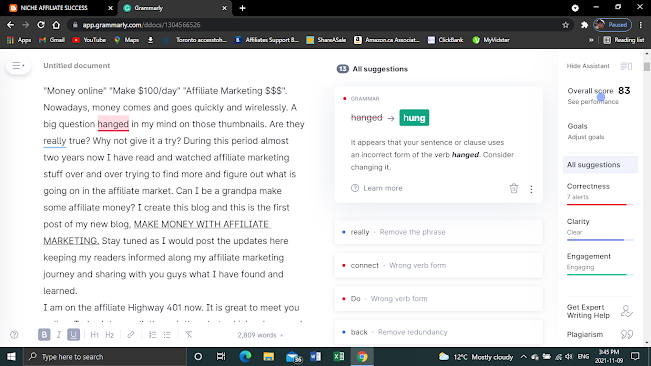
With Grammarly, you can write well. It makes you feel good. It says a lot about you— like that you’re a professional who doesn’t let even small mistakes slip by. While polished writing takes time and diligence, Grammarly can help and it offers exceptionally great value. If you write a lot like the author your best choice is the premium version. It also applies to those who enjoy writing and wish to improve. I would upgrade to Premium as I like to become a better writer. For people who write occasionally, the free version is good for them.
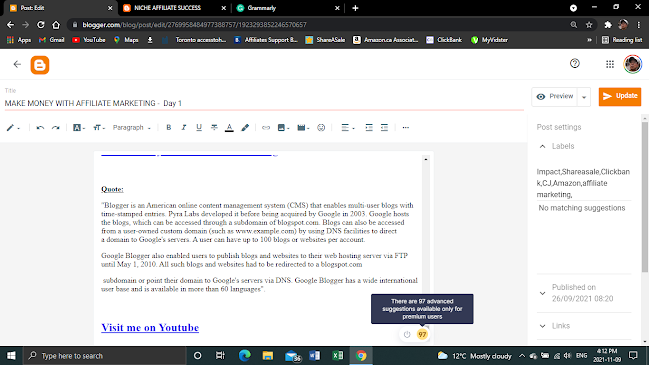
Advanced Suggestions Available only for Premium Users
No comments:
Post a Comment
Take a moment to share your views and ideas in the comments section. Enjoy your reading